Hood Warfare 2 Wiki & Guides
Independent Hood Warfare 2 guides for the questions that get in the way of playing. Find a sourced answer, check its version and keep the original game separate from the sequel.
Find the Right Guide
What do you need help with? Choose the symptom or task below. Each Hood Warfare 2 destination gives an answer, its source and the limits of what has actually been checked.
If Hood Warfare 2 will not start, begin with the launch guide rather than changing matchmaking settings. If a match opens but stays silent, use the audio branch. If you can hear the game but cannot talk to friends, open the voice guide. Separating those symptoms makes each check easier to interpret.
For a first Hood Warfare 2 session, follow a different route: compare your PC with the listed requirements, learn the objective, then prepare your loadout. The guide cards below follow those decisions. Search is available from any page when you already know the feature, mode or error you need to investigate.
Game Information
Platform details →- Developer / publisher
- Trapstar Games
- Verified store platform
- Windows · Steam
- Release date
- 8 October 2026
- Source check
- 14 October 2026
Hood Warfare 2 is the Chicago-set sequel, Steam App 5155360. Its store confirms bot-match setup, but disconnected access and bot progression need separate tests. View the bots and offline distinctions before relying on either.
The Hood Warfare 2 Steam listing describes a multiplayer first-person shooter with weapon customization and six modes. It is the primary reference for the current product description. Store screenshots and trailers illustrate its presentation, while written feature descriptions give a clearer starting point for understanding objectives and unlocks.
Before installing Hood Warfare 2, compare the complete minimum and recommended requirements, including operating system, graphics hardware and storage. A matching GPU alone does not establish expected frame rates. Keep graphics advice tied to your actual resolution and hardware rather than treating a promotional video as a benchmark.
Current Update Notes
Password lobbies & reported fixes
The newest Hood Warfare 2 announcement in the retrieved feed adds password-only private rooms and reports fixes for false kicks, missing audio, joining and crashes. These are developer statements; no game retest is claimed.
Read the official announcement ↗Event: Wed, 14 Oct 2026 01:03:41 GMT · Checked: 14 October 2026When checking a Hood Warfare 2 issue after an update, note which build you installed and whether the symptom changed. An announcement that reports a fix is useful context, but it does not establish that every affected setup is now working. Keep the original error wording so that a new failure is not confused with an earlier one.
The Hood Warfare 2 patch timeline preserves the developer's version labels and separates announcement dates from our source-check date. Read the entry that mentions your symptom before trying unrelated changes. If the current client still behaves differently, a concise report with the build, steps and observed result is more useful than a general claim that everything is broken.
Gameplay Guides
Start with the essentials
The Hood Warfare 2 beginner guide connects PC checks, objectives and loadout preparation for your first session.
Know the objective
Compare six Hood Warfare 2 mode descriptions, including territory, solo kills and chain collection. Unknown timers stay unknown.
Maps, with source notes
Find the locations named for Hood Warfare 2 and the unresolved supermarket wording. No guessed callouts or complete-roster claim.
Build your loadout
Understand Hood Warfare 2 attachment categories and separate weapons, challenges and skins. No fabricated full-stat database.
Understand your unlocks
Trace the three Hood Warfare 2 progression paths and distinguish reported display problems from confirmed persistence loss.
Play with your crew
Prepare for password-only rooms in Hood Warfare 2. Exact current hosting screens still require recorded two-client evidence.
Compare the objectives
Hood Warfare 2 objectives differ: team kills, held turf and collected chains are not interchangeable. Filter the source-backed overview, or open the complete mode guide for scope and unanswered rule questions.
| Mode | Players | Objective |
|---|---|---|
| Turf War | Team | Control territory to earn points for held turf. |
| GangBang | Team | The team with the most kills wins. |
| Chaos | Solo | Compete individually for the most kills. |
| Hit A Lick | Team | Bring the enemy bag back to your own hood; defend yours. |
| Destroy The Block | Team | Plant or defuse the in-game bomb. One life per round. |
| Chain Snatch | Team | Collect enemy chains for points; retrieve teammate chains before opponents. |
No modes match both filters. Change a filter or reset to show all six.
Choose a mode by its win condition
In Hood Warfare 2, a kill-focused session and an objective-focused session ask different things of the team. GangBang centers on team kills; Chaos removes team allegiance. Turf War rewards territory control. Hit A Lick combines taking the opposing bag with protecting your own, so its goal is different from simply topping an elimination count.
Destroy The Block gives each player one life per round and uses planting or defusing as the win condition. Chain Snatch requires collecting dropped chains, including denying the opposition your teammates' chains. These Hood Warfare 2 descriptions explain the basic objective; exact timers, score limits and current lobby options still need a checked in-game record.
Keep the three unlock paths separate
The Hood Warfare 2 store distinguishes match-based leveling, weapon challenges and kills with individual guns. Leveling unlocks additional weapons and equipment; challenges unlock attachments; gun-specific kills unlock skins. That distinction helps you choose the right question when something is missing. A skin counter and an attachment challenge should not be treated as the same progress measure.
For Hood Warfare 2 loadouts, start with the attachment overview and the progression guide. The store names sights, magazines, grips and suppressors, but does not provide a complete damage or recoil database. Choose a change you can compare, keep the rest of the setup stable and record what you actually observe.
Prepare Your First Session
Check controls before joining friends
Open the Hood Warfare 2 controls guide for the sourced voice-key information and the limits of the available input documentation. Confirm your current bindings in the client, especially if you have changed them. A keyboard shortcut in an announcement should not be assumed to describe every controller layout or a customized installation.
For a Hood Warfare 2 voice problem, distinguish recording from playback: friends not hearing you is different from you not hearing them. The voice troubleshooting page organizes those observations. Write down which direction fails and whether ordinary game audio works before changing several settings together; that gives each check a clearer purpose.
Arrange a private match
Hood Warfare 2 patch 1.0.1.4 announces password-only private rooms. Agree on the intended game and room with your friends, then use the private-match guide to review what the announcement establishes. The exact hosting and joining screens have not been recorded here, so this site does not invent a sequence of menu clicks.
If joining fails in Hood Warfare 2, note whether you cannot find a room, cannot enter it or disconnect after entering. Those are different observations, even if they happen during the same evening. The connection guide helps keep them separate and points to the relevant developer reports without claiming a universal repair.
Use bots with the right expectations
Hood Warfare 2 supports setting up bot matches with map, mode and match options according to its store description. That makes the bot guide a useful starting point for learning what is advertised. It does not prove that every setup works while disconnected from Steam, or that each type of bot match awards progression.
Keep those Hood Warfare 2 questions separate when planning a session: whether bots can be added, whether a connection is required and whether unlocks persist afterward. A successful answer to the first question does not answer the other two. Our bots and offline guide labels each distinction so you can see which evidence is still missing.
Explore Maps and Official Media
The Hood Warfare 2 store names downtown, the suburbs, The Trenches and Chicago Mall. A later announcement also uses supermarket wording, which the map guide flags for clarification. Treat those names as source-backed references, not a claim that this is a complete current roster or that two differently named locations are identical.
Use the Hood Warfare 2 trailer above for a publisher's visual introduction. For the full screenshot collection, open the Hood Warfare 2 Steam gallery. Promotional scenes can help you recognize the game's setting, but a brief shot cannot establish a reliable route, spawn rule, weapon statistic or current matchmaking behavior.
Hood Warfare 2 screenshots
Official promotional images by Trapstar Games, via Steam. These are publisher screenshots, not our gameplay tests. Select an image to enlarge it.

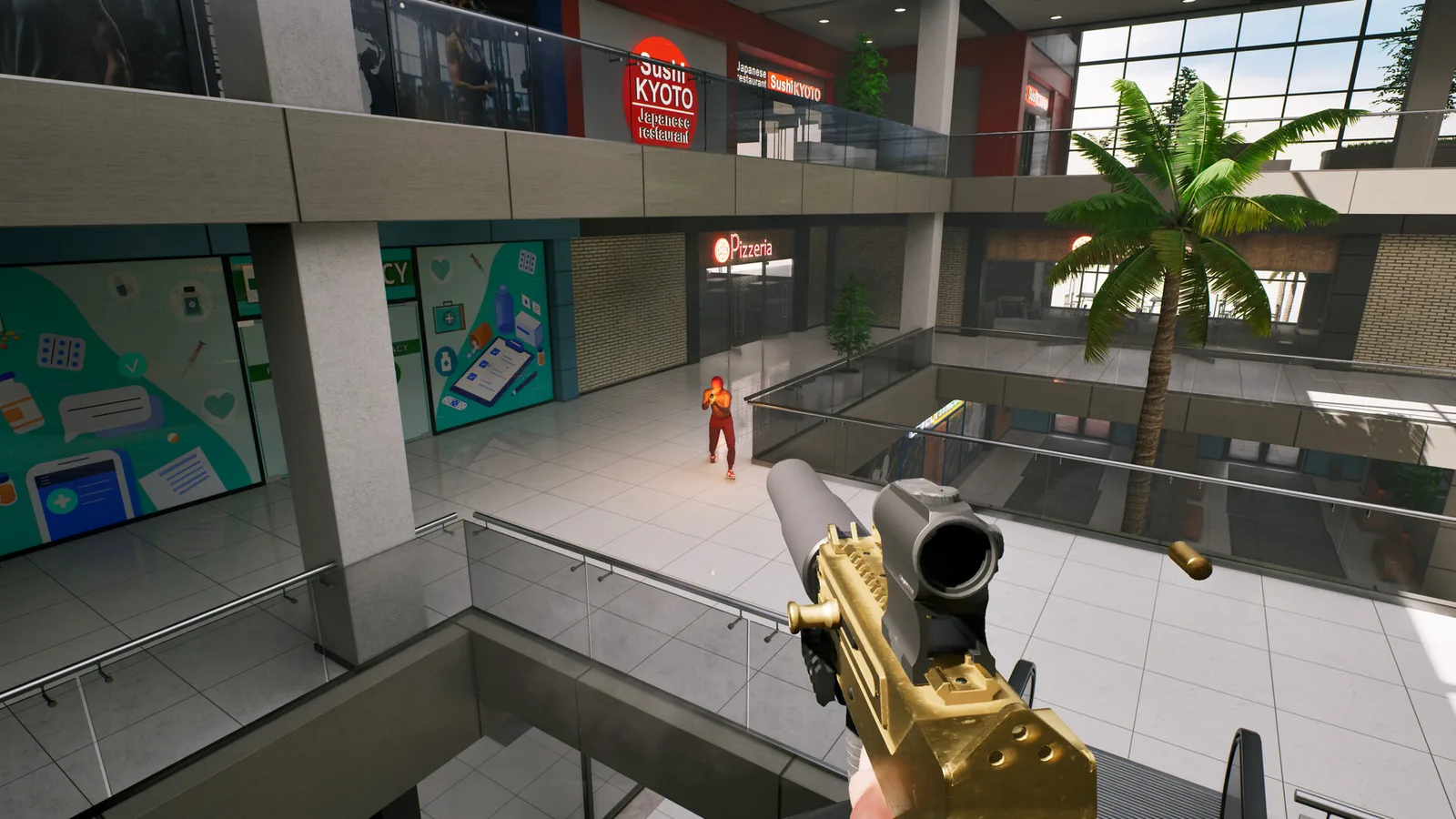
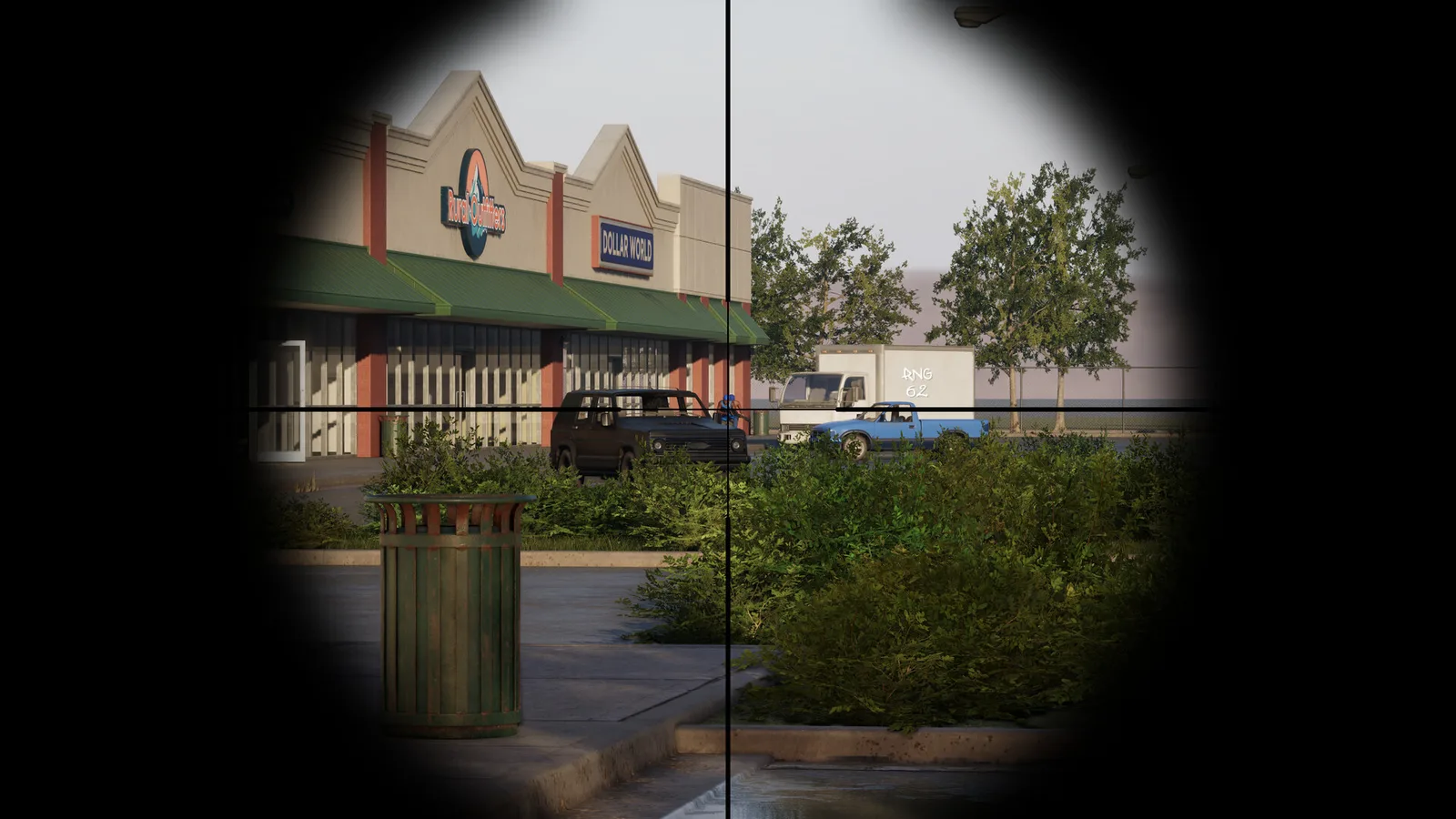
Browse all 11 official screenshots
Hood Warfare 2 on Steam — official store artwork, current regional price and purchase options.
Loads Steam content after your click. Open the store instead.Original Hood Warfare
Looking for the 2023 Detroit game? It has its own Steam app, store-described Zombies and offline-bot information. These original-game statements do not automatically apply to Hood Warfare 2.
Common Questions
Is this the official wiki?
No. This is an independent guide site. We link original sources and distinguish developer reports from gameplay observations; the evidence policy explains the method.
Where should I check price and installation?
Use the platform and purchase guide to reach the correct Steam app. Regional prices and discounts are not fixed in this wiki.
Why are some detailed strategies missing?
Weapon rankings, map routes and device results need independent evidence. The core answers remain available while those research tasks await actual gameplay records.
Sources & verification scope
Checked 14 October 2026. Official descriptions and developer reports are evidence statements; game behavior has not been independently replicated here.
- S01 · Hood Warfare 2 — Steam store ↗2026-10-14 official API/full HTML
- S02 · Hood Warfare — original Steam store ↗2026-10-14 official API/full HTML
- S03 · Hood Warfare 2 — official announcements as rendered in Steam Community All News ↗2026-10-14 official API/full HTML
- S04 · Official permalink — Patch 1.0.1.4 ↗2026-10-14 official API/full HTML
- S05 · Official permalink — Patch 1.0.10 ↗2026-10-14 official API/full HTML
- S21 · Hood Warfare 2 Official Trailer — Trapstar Games ↗2026-10-14 YouTube oEmbed and watch-page metadata
- S23 · Steamworks — Store Widget ↗2026-10-14 official documentation