Hood Warfare 2 Beginner Guide: Getting Started
This Hood Warfare 2 beginner guide follows the official match objectives and unlock descriptions. Start by checking your PC, then choose an objective, prepare your loadout and decide whether to join players or set up bots.
Before You Start
Check the official PC requirements before installing Hood Warfare 2. The Steam listing specifies Windows and DirectX 12, along with minimum and recommended hardware. These are requirements, not a promise of a particular frame rate. Use the official purchase link rather than an unrelated browser game or APK.
If you already own Hood Warfare 2, check the version shown in the menu against the checked updates. The developer’s 1.0.1.4 announcement says fully exiting and reopening Steam may be needed to receive that update. [S01] [S04]
Understand the Objectives
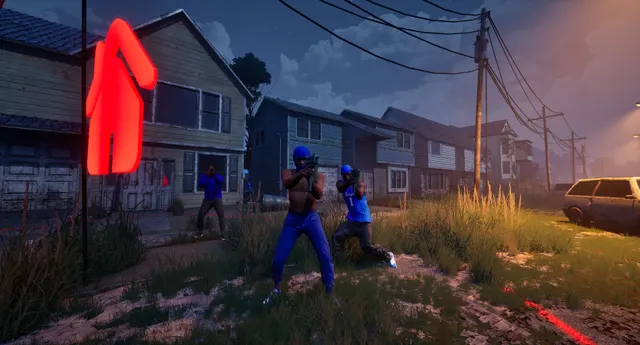
Hood Warfare 2 offers team, solo and objective modes. GangBang rewards team kills; Chaos is individual competition. Turf War awards points for held territory. In Chain Snatch, kills alone are not the entire objective: dropped chains matter. Compare the six official mode descriptions before choosing a match. [S01]
Set Up a Loadout
The official Hood Warfare 2 description allows sights, magazines, grips, suppressors and other attachments, plus perks and equipment in your loadout. It does not provide a complete weapon-stat database. Read customization and unlocks for the supported distinctions; a popular-sounding attachment is not automatically the strongest choice. [S01]
Practice and Progression
Bot matches are described for Hood Warfare 2, including map, mode and match settings. Whether an entirely disconnected session works, or bot kills count toward skins, remains untested here. Leveling, weapon challenges and gun kills have different unlock roles; the progression guide separates them. Treat practice as an editorial suggestion rather than a verified fastest XP route. [S01]
Common First-Match Questions
Can I begin with friends? Password-only private matches were announced for Hood Warfare 2 in 1.0.1.4. Read the private-match preparation guide; the precise current host and invite screens have not been independently recorded.
What if the first match fails? Choose the exact symptom in troubleshooting. A startup failure, silent game and rejected lobby need different checks. Keep the error wording and note what changed, rather than treating every symptom as a connection problem. [S04]
Sources & verification scope
Checked 14 October 2026. Official descriptions and developer reports are evidence statements; game behavior has not been independently replicated here.
- S01 · Hood Warfare 2 — Steam store ↗2026-10-14 official API/full HTML
- S03 · Hood Warfare 2 — official announcements as rendered in Steam Community All News ↗2026-10-14 official API/full HTML
- S04 · Official permalink — Patch 1.0.1.4 ↗2026-10-14 official API/full HTML
- S21 · Hood Warfare 2 Official Trailer — Trapstar Games ↗2026-10-14 YouTube oEmbed and watch-page metadata